Giving an AI Agent a Second Brain
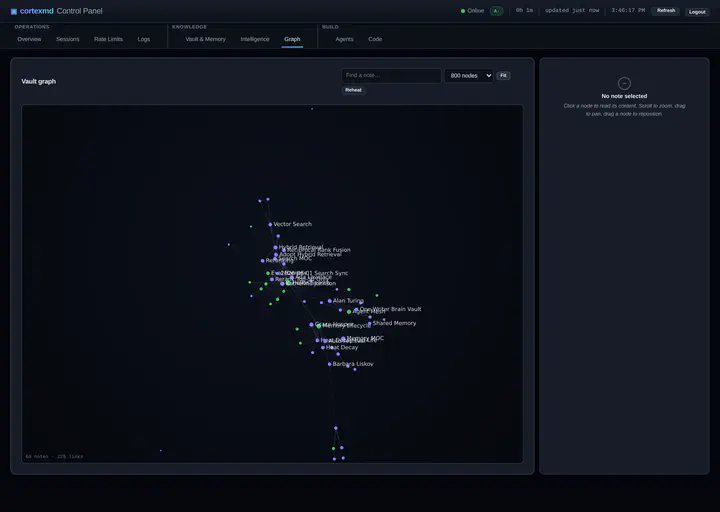
I work with a coding agent most days now. It is genuinely good. It reads my code, reasons about it, proposes changes, runs the tests, fixes what it broke. And every single time I open a fresh session, it has the memory of a goldfish.
It does not remember the decision we made last week about why a module is structured the way it is. It does not remember that I prefer commas to dashes, or that one corner of the codebase is load-bearing and fragile. It does not remember the conversation where we ruled out an approach for good reasons. All of that context lived in the previous session, and the previous session is gone. So I re-explain. Then I re-explain again the next day.
That is the first problem. The agent forgets.
And it is not only the code. The moment I ask it to help with anything human, the same hole opens up. Ask it to draft an email and it has no idea who the recipient is to me, whether this is a close friend, a colleague, or a partner I need to handle with care, so it has no idea what tone to take, because the tone lived in past conversations it can no longer see. It does a poor job of linking one session to the next, so every thread starts cold. And the way I keep my life split makes it worse: personal in one account, work in another, the way most people do. The moment I cross from one to the other, whatever the agent had learned about me is simply gone. Poof. No memory.
Two problems, not one
The second problem is quieter but it shows up on every invoice. To do anything useful, the agent has to understand the code, and the way it understands code is by reading it. So it reads files. Whole files. To answer a small question about one function, it will pull an entire module into context, and often the modules that call that module too. Multiply that across a working session and you are paying, in tokens, to load the same source over and over, most of which is irrelevant to the question at hand.
Both problems come from the same place: the agent has no persistent store of what it has learned, and no cheap way to look things up. It only has the context window in front of it, and the context window is both forgetful and expensive to fill.
I decided to do something about both. Not because I had a product idea, but because it was annoying me on a daily basis and I had a homelab sitting there asking to be useful.
There was also a personal reason the shape of the solution felt obvious. A while ago, after reading a friend’s long write-up of his own personal-knowledge-management journey, I started keeping notes in Obsidian. Building that second brain for myself changed how I thought about the problem. If a vault of linked notes works as external memory for me, it should work as external memory for the agent too. I could let it read mine to get started, as a read-only source, and then let it build its own brain, one that I could actually open, navigate, and understand. Not a black box of embeddings somewhere, but notes, in a vault, that I own.
The homelab origin
For a while now I have run a small MCP server on my homelab. MCP, the Model Context Protocol, is the standard way to give an AI client tools and data it can reach out to. The server I built was called obsidian-mcp, and its first job was simple: give Claude the ability to read, search, and write notes in my Obsidian vault.
It ran in a Docker container behind a reverse proxy, my notes were already there, and suddenly the agent could reach into them. That alone was useful. But it also turned the vault into a natural place to put the answers to my two problems, because a vault is just structured text that an agent can read and write, and that is exactly what both a memory and a code index need to be backed by.
So the server grew two new capabilities, one for each problem.
The first capability is a memory system, inspired by mempalace, a memory-palace project for AI agents. Instead of letting everything evaporate at the end of a session, the agent can store what it learns: an observation, a decision, an insight, a preference I stated out loud. Those memories do not just pile up forever in a flat list. They have a lifecycle. The ones that get used stay warm and easy to surface, the ones nobody touches cool off and eventually get folded into summaries, and at the start of a new session the agent does a wakeup that brings the hottest, most relevant memories back to the surface. The point is continuity. The agent picks up roughly where it left off instead of from zero. That is the subject of part two.
The second capability is a code index. Rather than read whole files to understand a repository, the agent queries an index of it. A Rust indexer walks the repo, parses it, and records the things you actually want to look up: what symbols exist, their signatures, where they live, and crucially who calls whom. Then the agent asks targeted questions. What does this function look like? Who calls it? What breaks if I change it? Each answer is small and cheap, on the order of a lookup rather than a full read, instead of dragging the entire file into context. The design goal is blunt: a code-nav lookup should cost roughly sixty tokens per result and be many times cheaper than reading the file it came from. That is the subject of part three.
From a private tool to cortexmd
For months this was a personal thing. It ran on my hardware, over my own private Obsidian vault, the one that holds both personal and work notes. I am not going to quote any of it here, and the tool itself is deliberately built so that the data stays mine. But the point stands: it was a tool I made for myself, and I used it every day.
Then I hit a different kind of wall, one that came precisely from how well it worked for me. I will tell it properly in part four, but the short version is that the whole thing was tuned to my own setup, my vault, mounted and synced my way, so it was a great personal tool and impossible for anyone else to run. Making it shareable meant a redesign, and that redesign is what finally turned it into something other people could use.
That redesign became cortexmd. It is open source, MIT licensed, and public at github.com/Leicas/cortexmd. It is honestly pre-alpha. The APIs and the config names are still in flux, and I would not bet a production workflow on it yet. The honest framing is the right one: I built this for myself, then cleaned it up to share. The cleanup is real work and it is most of part four.
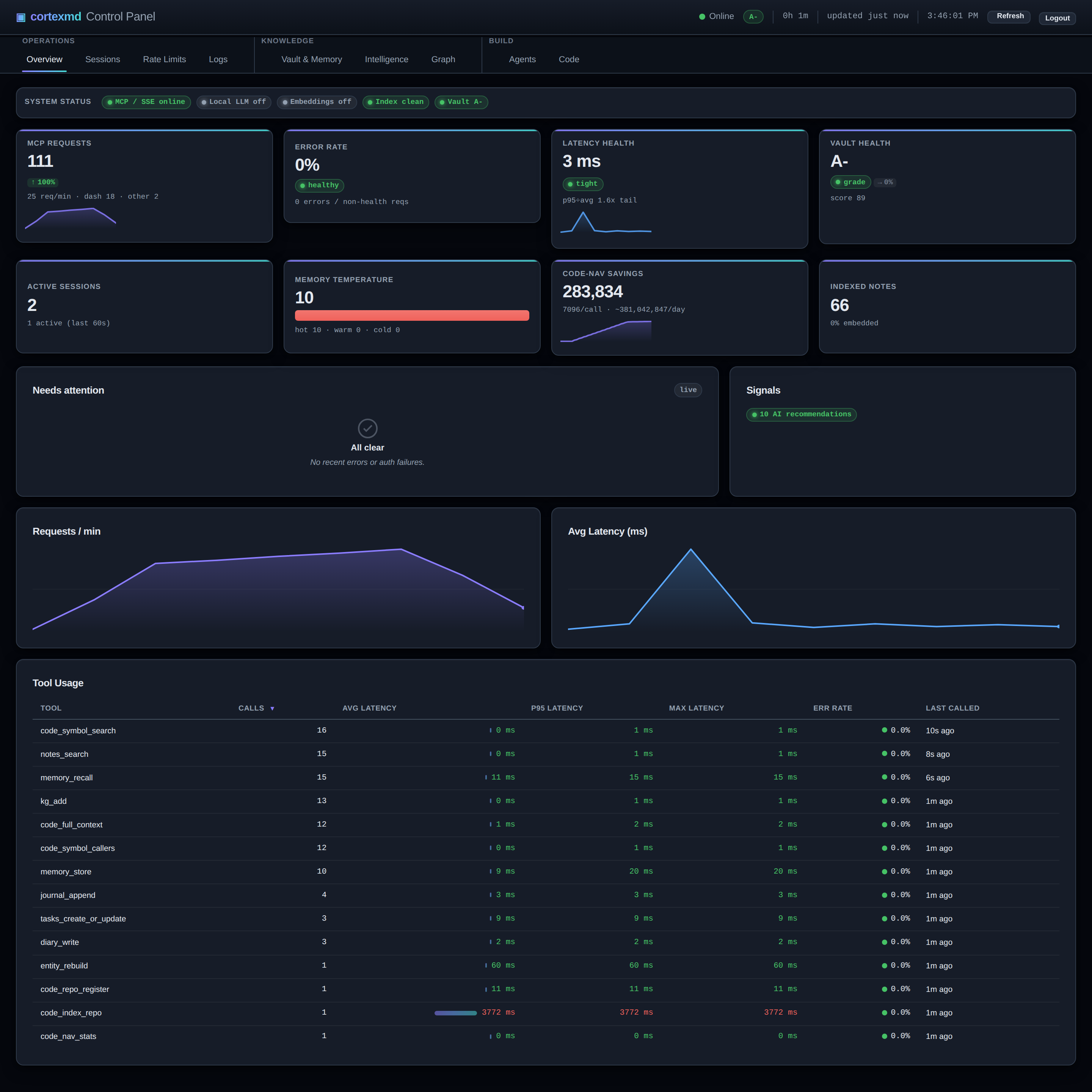
So that is the shape of the series. There were two problems, an agent that forgets and an agent that burns tokens re-reading code. There are two answers, a memory system and a code index, both born inside a homelab MCP server. And there is the redesign that turned a private tool into something you can run yourself.
What is coming
- Part 2, the memory engine. Heat, decay, and dreams. The eight categories a memory can fall into, the hot to warm to cold lifecycle, promote-on-access, consolidation, hybrid recall that fuses full-text and semantic search, the session wakeup, and the auto-linking graph that wires notes together as they are stored.
- Part 3, the token killer. The Rust and tree-sitter indexer, the SQLite symbol database, the code-nav tools, the roughly sixty tokens per result idea, the opt-in shell hook that rewrites things like grep and cat on an indexed repo into the cheap equivalent, and what it was like to dogfood all of it on the project’s own source.
- Part 4, open-sourcing the brain. Why a tool that only worked for me had to be redesigned to share, the brain-vault model that generalises it, the two deployment modes, the polyglot monorepo held together by a shared contract, the rename, and why I care about owning my own data.
If you want to skip ahead to the code, the project page is over here and the repo is on GitHub. Otherwise, part two is where the agent starts to remember.
Series
This is Part 1: Giving an AI Agent a Second Brain (you are here).
- Part 1: Giving an AI Agent a Second Brain (this post)
- Part 2: The Memory Engine: Heat, Decay, and Dreams
- Part 3: The Token Killer: Navigating Code Without Reading It
- Part 4: Open-Sourcing the Brain: the Brain-Vault Model
Project page: cortexmd. Source: github.com/Leicas/cortexmd.

Antoine Weill--Duflos
Head of Technology and Applications
My research interests include haptic, mechatronics, micro-robotic and hci.