Optimizing battery life for a Home Assistant E Ink display in my kitchen
How long should it take a screen to say “partly cloudy”? One version of my kitchen Inkplate spent almost 17 seconds just processing the picture. The forecast hadn’t changed much by then. The battery had been working the whole time. So I started timing a wake-up in pieces. First surprise: the Wi-Fi I wanted to speed up was already connected while my code was still waiting.
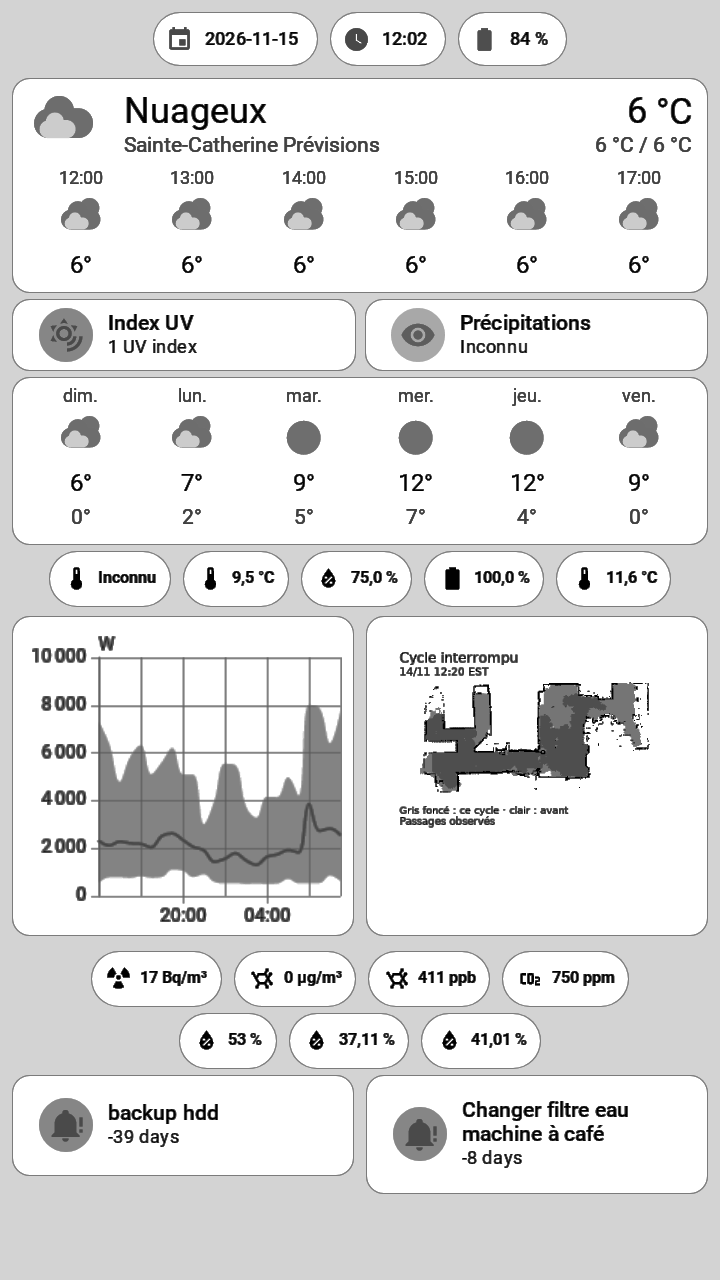
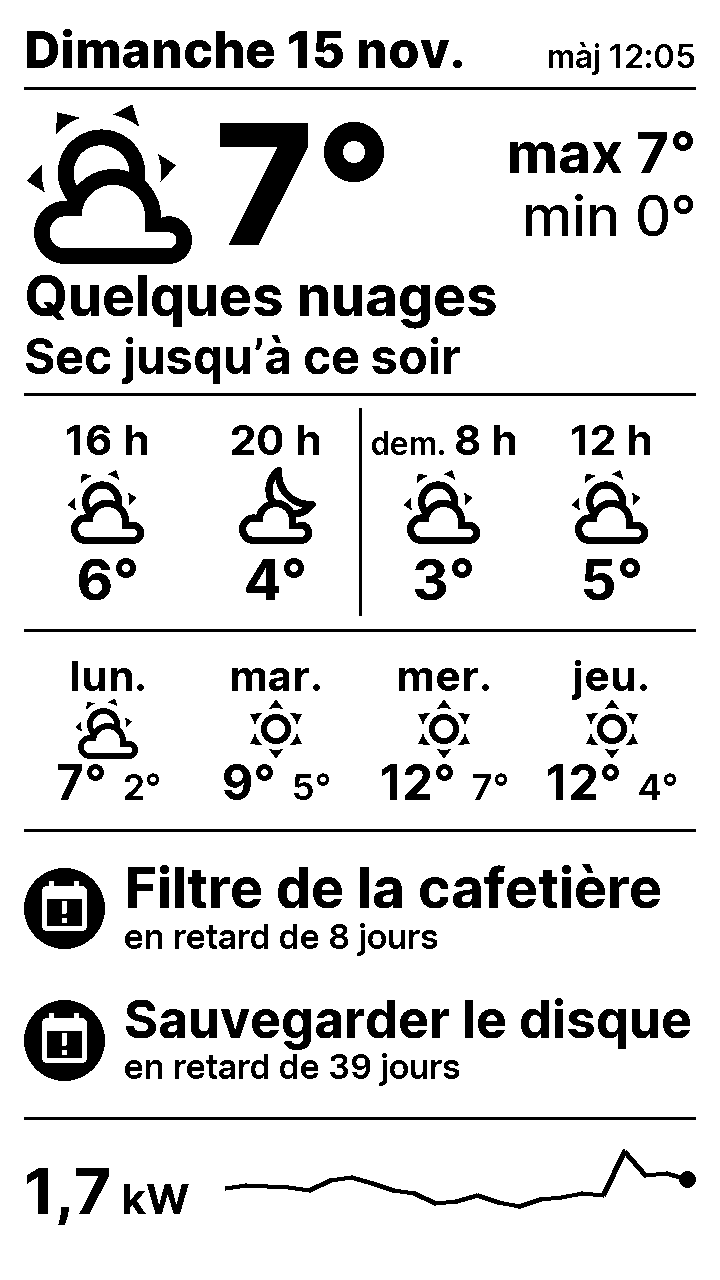
Three ways to draw the page
My first ESPHome firmware connected to Home Assistant, collected the individual readings and drew the layout on the device. Moving a reading or changing a graph meant changing the firmware. It also meant keeping the board awake while it gathered the values and put the page together.
Next I built the layout as a Home Assistant dashboard. Chromium took a screenshot for the Inkplate to fetch. I could move things around in the dashboard, but the format of the screenshot still mattered. In one test the device spent 16.7 seconds processing an image. Preparing the screenshot in the panel’s native format brought that step down to 127–163 milliseconds.
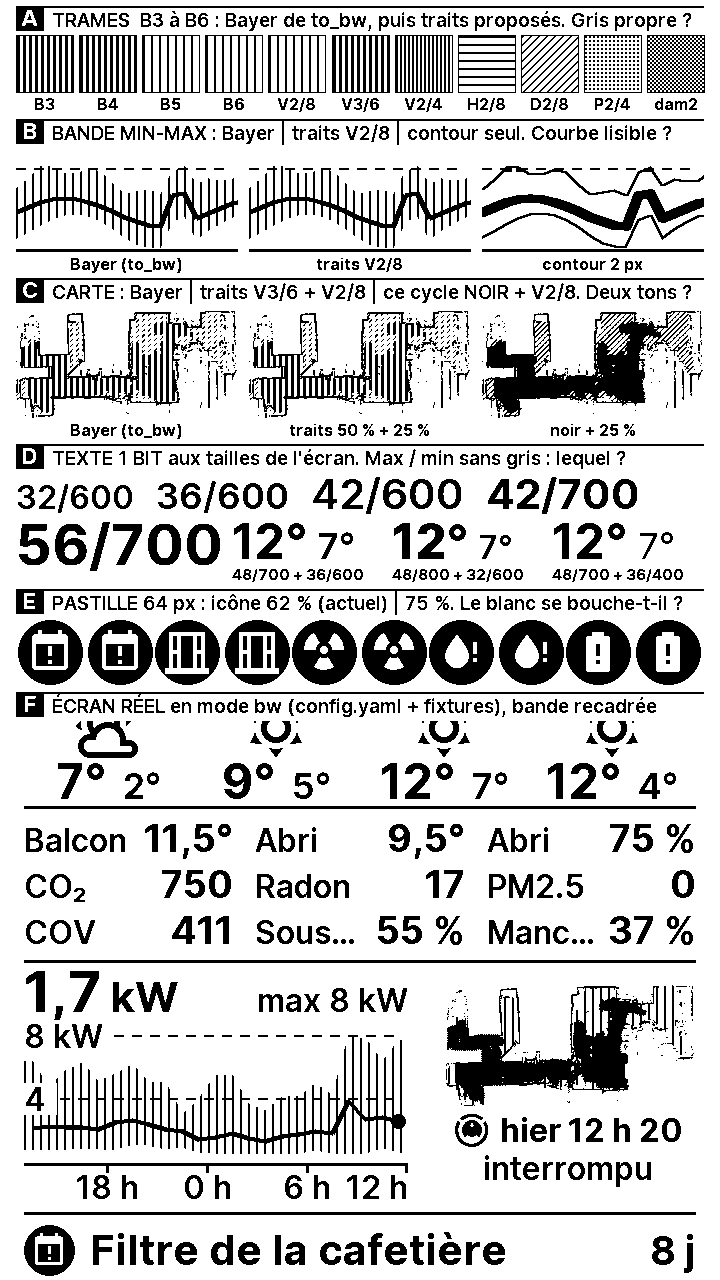
On November 15 I replaced the browser with a dedicated Python service. It reads Home Assistant data and uses Pillow to draw a 720 × 1,280 image. Text gets crisp edges. Gray areas in charts become patterns of black and white dots. From across the kitchen those dots blend into shades, while the panel only has to handle one bit per pixel.
As soon as Wi-Fi connects, the Inkplate requests the prepared frame. It sends its battery voltage and charge estimate in that same request, and the server relays them to Home Assistant over MQTT. When the previous frame is available, the panel can do a partial refresh. I measured roughly 0.7 seconds for that update, 2.5 seconds for a full black-and-white refresh and 3.2 seconds in grayscale. On one partial-refresh wake, the firmware reported 4.085 seconds awake including the connection.
The five seconds after Wi-Fi
I’d already worked on this with other ESPHome sensors that wake up, publish a reading and go back to sleep. I gave the Inkplate the same setup from the start. A manually assigned IP address let it skip DHCP on each wake. With fast_connect enabled, it could try the known network without scanning all the networks first. I also reused MQTT to send readings to Home Assistant.
By the time I got the stopwatch out, those settings were already in place. Wi-Fi was ready in 0.5 to 1 second. Then the board waited about 5.4 more seconds before it even asked for the picture. It was opening an MQTT session and pausing for a fixed two seconds in case Home Assistant had left a maintenance command. Waking every half hour, that fixed pause alone cost 96 seconds a day.
That wait was what convinced me to let the rendering server handle the MQTT relay too. The board already had to ask it for a picture, so that exchange could do double duty. The instant Wi-Fi is ready, the board requests its frame. Its battery reading travels out with the request and the maintenance instruction comes back in a response header. Pressing the button still triggers a full wake when I need to work on the device. On an ordinary update, once the frame is in memory I can turn off the radio and let the panel finish the job.
Picking a gray from across the kitchen
The test card saved me from choosing grays on my desktop monitor. On the physical panel the three darkest levels nearly merged, and the palest gray all but disappeared. Look at the graph strip below: spaced black dots or strokes suggest the area under the curve while the outline stays solid. That outline is what I want to see walking past the fridge.
Does the shorter wake show up on the battery gauge?
I used to reach for the charging cable about every 25 days (24.3 days across seven intervals). To see whether the cable might stay in the drawer longer, I pulled two traces from Home Assistant: how long the board stayed awake and how quickly the battery gauge fell.
On November 14, before the switch, I grouped the uptime readings by wake and took the last reading in each group. Across 50 groups the median was 6.9 seconds. On the new firmware, the awake-time counter recorded 4.1 seconds for a wake with a partial refresh. That particular wake saved nearly three seconds against the old median. The old sensor could publish its last reading a little before sleep, and I only have a single comparable new reading, so there’s room for a better timing comparison.
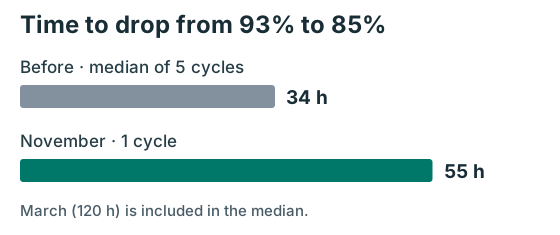
I lined up each discharge at the first hourly average that crossed 93% on the way down, keeping traces that still read at least 92% that hour. Then I followed each one to 85% or below. Five older traces covered that stretch in 16, 24, 34, 46 and 120 hours. After the November recharge, the same stretch took 55 hours, against a historical median of 34.
So the new curve falls more slowly through this part of the charge than four of the five old ones. March is the interesting outlier: the old setup once managed five days over that same stretch. The part I’m watching next is the tail, where the gauge used to drop much faster. That’s what will decide how many days I’ve gained on my usual 25.

Antoine Weill--Duflos
Head of Technology and Applications
My research interests include haptic, mechatronics, micro-robotic and hci.